How to Save a TikTok Recipe in SeeMeCook
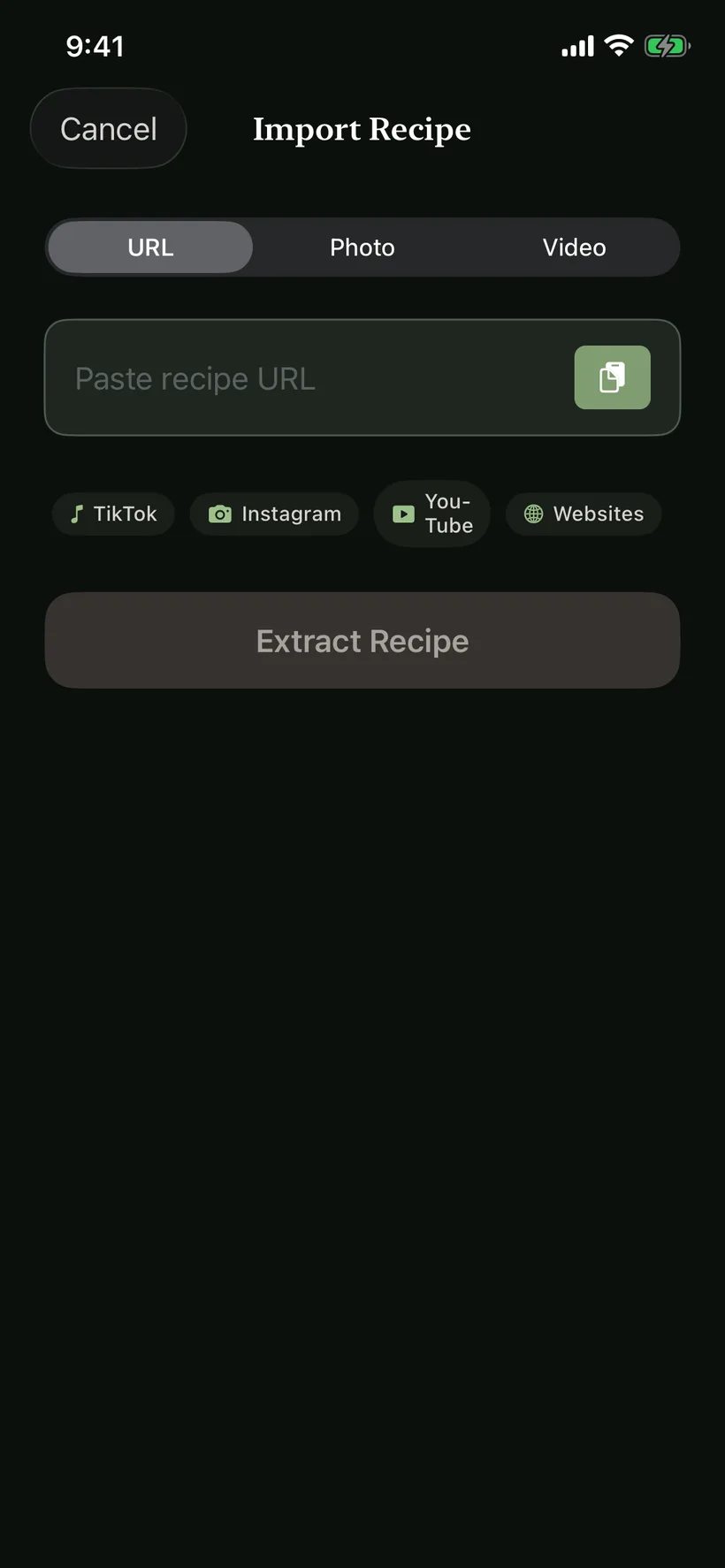
To save a supported TikTok cooking video, tap Share in TikTok and choose SeeMeCook. You can also copy the video link, open Import Recipe in SeeMeCook and paste it. The saved recipe has ingredients and numbered steps that you can review, edit and cook from.
Share the video from TikTok
- Open the cooking video you want to save and tap TikTok's share arrow.
- Open the phone's sharing options and choose SeeMeCook. On iPhone, you may need More to find it in the app row.
- Send the video link to SeeMeCook and let the import finish.
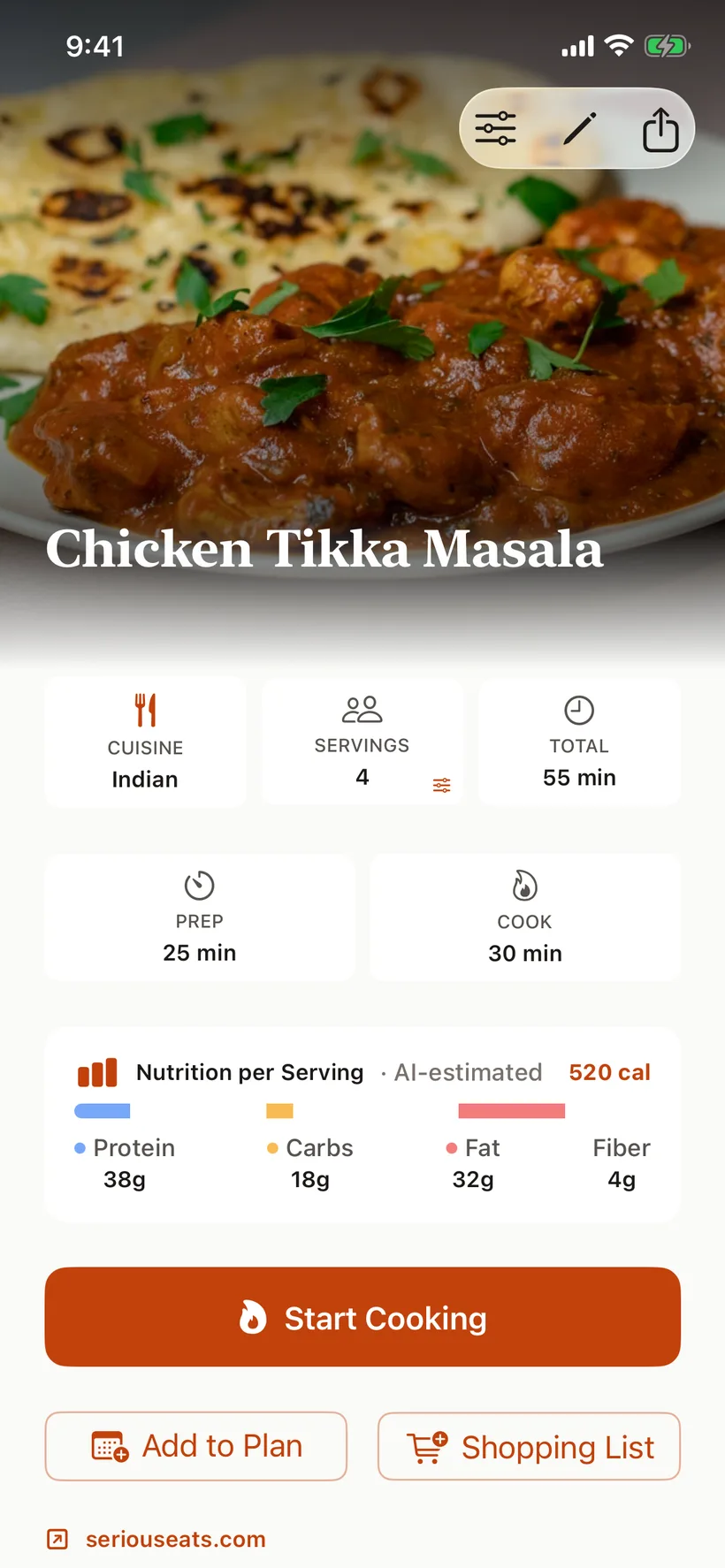
- Open the saved recipe. Check the ingredient quantities, cooking steps and serving count against the source.
The share menu can look different across phones and TikTok versions. The copied-link method below reaches the same import flow.
Paste a copied link instead
Copy the TikTok link, then open Import Recipe in SeeMeCook. Paste it into the field labeled Paste a link or recipe text and tap Save recipe. Use the link to the specific cooking video so the import starts from the recipe you intended.
Review the recipe before cooking
Check the quantities and units first, particularly if the creator uses an informal amount such as a splash or a handful. When the source does not state an amount, SeeMeCook identifies estimates. You can edit the result before cooking.
The recipe retains its source link. When TikTok provides identifiable creator information, that credit is included too, so you can return to the original video for a technique or serving suggestion.
Choose how many servings you want to make and check the scaled ingredient list. Put the recipe in a book you will look in again, or add tags to help you find it through search. A saved recipe stays in your library for the next time you want to cook it.
Follow the written steps at the stove
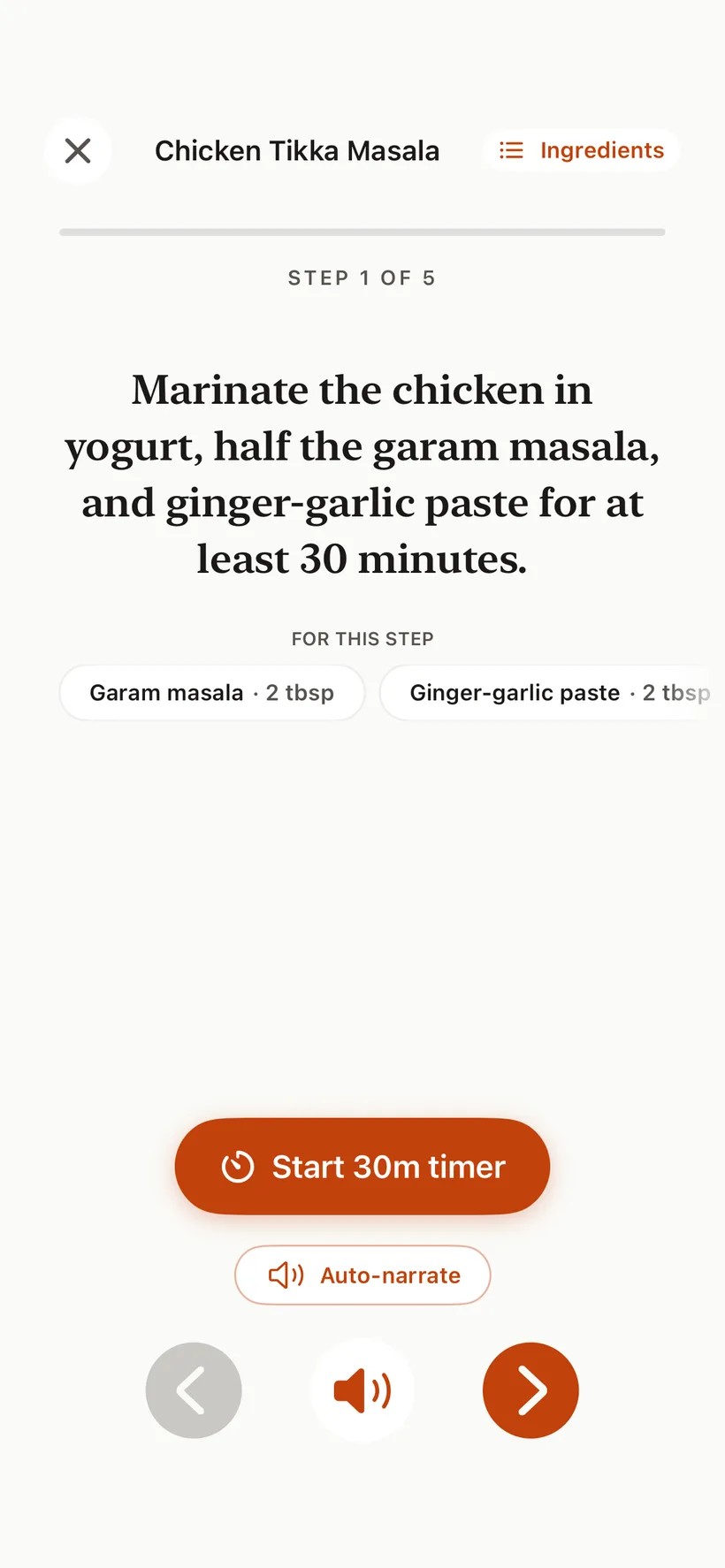
Open Cooking Mode from the recipe. It shows the current step in large type, keeps the screen awake and lists the ingredients needed for that step. Spoken narration is available when you want to listen to the instructions while cooking.
Read the Cooking Mode guide for the full walkthrough. You can also browse public recipes to see how ingredients, steps and source credit appear on a shared recipe page.
Common questions
Does the creator keep their credit?
Yes, when creator information is available from the source. SeeMeCook retains the original source link and displays the creator's credit when provided. You can open that link to revisit the video.
What if the recipe is on a website linked from the video?
Paste the recipe page's URL into Import Recipe. If the actual recipe is on that page, importing the page gives SeeMeCook that source directly. The same screen accepts supported recipe websites and recipe text.
Can I save videos from other apps?
SeeMeCook also supports recipe imports from Instagram and YouTube. See the Instagram Reel guide and YouTube guide for those workflows. You can upload a video already on your phone or scan a cookbook page too.
How much does it cost?
SeeMeCook is free to start, with 10 recipe imports each week. Cooking Mode, recipe books, search and scaling are included. Pro adds unlimited imports and other tools; the current local price is shown before purchase.
Save a recipe you want to cook
Import a supported video, link or cookbook photo. Review the recipe and open Cooking Mode. Free to start.
Get SeeMeCook free